A screener included, if you need it
Free to measure a student whenever you like: you send it, they take it in class or at home, and the result goes to their profile.
Counseling · Screening and progress monitoring
You bring together reports, screenings and observations, and have every classroom, every pending plan and every document in one place. Designed for counselors, who coordinate it all.
Includes a free screener · one student at a time, no limit
How each classroom is doing, which plans are waiting for your signature and what each teacher has done. What used to live in emails, folders and hallways.
Latest from your team
Benefits
Free to measure a student whenever you like: you send it, they take it in class or at home, and the result goes to their profile.
Reports and results from other tests: Nubo reads them and each data point comes with its page.
The FRIN for each student and the FRINA for the group.
Your signature approves the plan and backs the curriculum changes.
Classes and digital activity, when the school connects them.
With the individual screener included, no limit.
Start freereading, writing and attention
Our own reading, writing and attention test, free in your account to give one student at a time, with no limit. It isn't mandatory: if you already use another, such as Dytective, Glifing, Prolexia or DIDE (screeners used in Spain), you upload the result and the profile updates just the same.
Try it free with one student →
The whole class, with the school plan →
Nubo screener
Six areas of reading, writing and attention
You send the test
 LucyGrade 8BSend
✓ Sent to Lucy · in class or at home
Hi, Lucy
A few short activities, like games.
StartTap the misspelled word
The cat sleeps beneeth the table.
✓ “beneath”
Memorize the word
cabrilerio
LucyResults readyNewWhat you see
When it's done, each student has a color-coded chart and a PDF report, and the classroom gets its own portrait: the averages, how the group compares with its age, and the group's overall skills. It's not a diagnosis: it tells you who to look at first.
For counselors
What changes in your work when everything is in Nubo.
Understand
More data than ever on each student and each group: screenings, reports already read, what teachers observe and how it evolves. So you can decide with what you know today, not with a report from years ago.
Manage
Plans, follow-ups, referrals, reports for families… Nubo drafts them with the data already there, each teacher completes their part, and you review and sign. What lives today in emails and folders, in a single record.
Oversee
Which classrooms are making progress, which students with difficulties still have no support plan, and how much is being adapted in each classroom. You see it at a glance, without asking around the hallways.
PI · LucyWaiting on Daniel · ScienceIn review Follow-up report · JackReady for reviewDraft
 Family report · PaulaSigned by counselingFinal
Your team, at a glance
All of the school's documents in a single record, with their status. You see which plan is waiting for your signature, which part each teacher still owes and what the team has done, without asking around the hallways.
Documents
Nubo drafts it from what it knows about the student, the classroom or the school. Only with real data: if something is missing, it says so. You review it and sign it.
How it connects
Screenings, reports and observations flow into the Living Profile, fill in the support plan and guide every adaptation and every training session.
Real cases
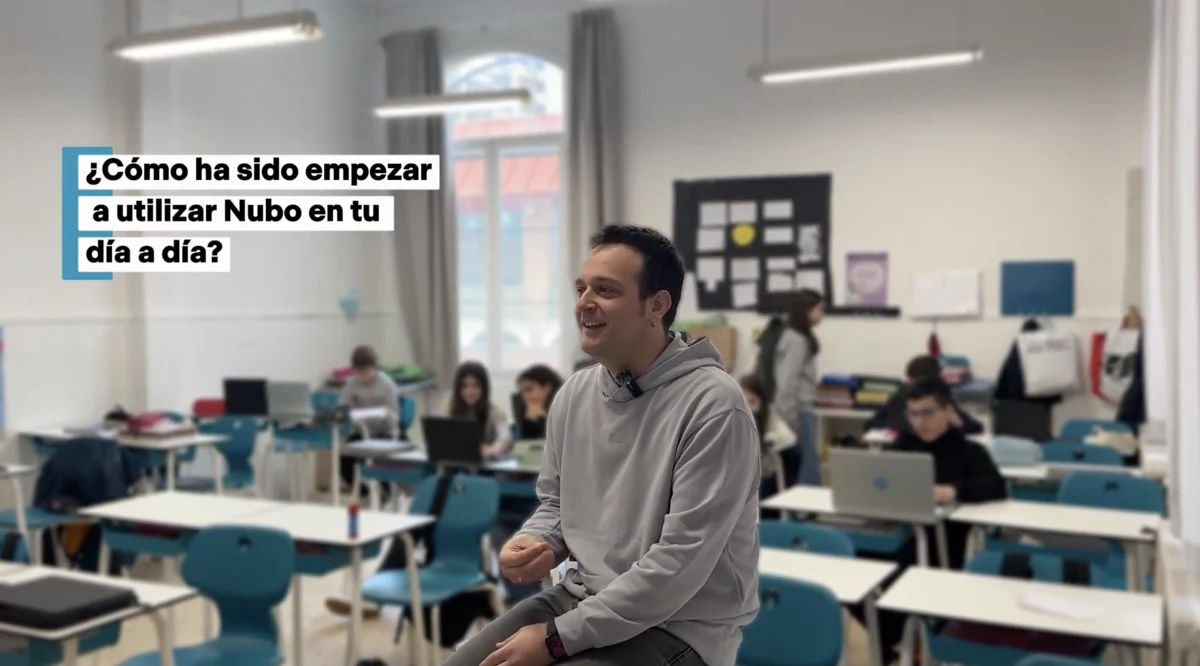 Watch the interview ↗
“You realize that the material you thought was good could be much better, and that it can be adapted much more closely to specific profiles.”
Joan · Assistant principal, counselor and language teacher · Maristes Montserrat, Lleida (Spain)
Read the full case →“My student no longer worries about whether he can do the task. He knows he can do what is put in front of him each day.”
Homeroom teacher · CEIP Justicia de Aragón (public elementary school), Alcorisa, Spain
Read their story →“What stayed with me most was the enthusiasm of the teachers when they came out of the training and said it was very practical and very concise.”
Ana · Director of the Alcorisa Teacher Training Center (Spain)
Read their story →The Nubo method
Seven principles guide every adaptation. These are the three you'll notice first in your classroom.
A label can point the way, but on its own it doesn't tell you what support a person needs.
The decision depends on the student's profile as much as on what today's activity demands.
Tell apart what students must learn from the difficulties created by the format of the task.
Frequently asked questions
No. The screening identifies which students to look at first. It is not a diagnosis: the counselor interprets it together with the rest of the evidence.
Six areas: visual awareness, phonological awareness, spelling, reading speed, reading comprehension, and executive functions and pace, compared with what is expected for each student's age.
No. It is an included resource for easy measurement. If you already use another test, such as Dytective, Glifing, Prolexia or DIDE (screeners used in Spain), you upload the result and the student's Living Profile is updated.
With the school plan, yes: the whole class joins with a code at nubolearning.app/cribado. With the free account you do it one student at a time, with no limit, on the spot or at home. Schoolwide screening.
Yes. If you know something the test doesn't capture, you change the level and give the reason. The history is kept and the homeroom teacher is notified. You can always go back to Nubo's level.
The individualized plan and its follow-up, referrals, handoffs between school levels, reports for the family, the status of the classroom and of the school, and screening reports. Only with real data: if something is missing, it says so.
Yes. As a PDF, Word file or photo. Nubo extracts the tests, the supports and the proposal by subject, and each data point shows the page it comes from.
Start with one student and watch everything else fall into place. Individual screening, free and unlimited.
Start free Classroom
 Teams
 Moodle